Using the API for Logistic Carrier Delivery
When you integrate your system as a Logistics Carrier, you establish a direct connection with the Neomode platform to:
🚚 Go to the Carrier Integration Flow
- Manage invoiced orders from connected channels and fulfill them by providing tracking information.
🚚Carrier Integration Flow
Retrieve recently invoiced orders that are awaiting the generation of shipping labels and delivery information.
1. Search for invoiced orders to dispatch
Only invoiced orders will be available in the carrier integration flow.
- Authenticate: Start with a valid token – Authenticate
- Fetch Orders: Retrieve orders using the following query parameters – GET Orders of All Sellers
status(OrderStatusSummary): Set toInvoicedCreated. (comma separated)freightReference: Set to your carrier's string ID.- (optional)
freightDescription: Set the display description for your carrier on the sales channel.
Freight query parameters in construction
If you're seeing this warning, the
freightReferenceandfreightDescriptionfields may not have been implemented yet.As a workaround for now, you can filter the
order(root).freight.referenceandorder(root).freight.descriptionfields at runtime.
2. Submit Tracking Informations (Post Tag File)
- Submit Tracking: Send the shipping label file and tracking information – PUT Trackings
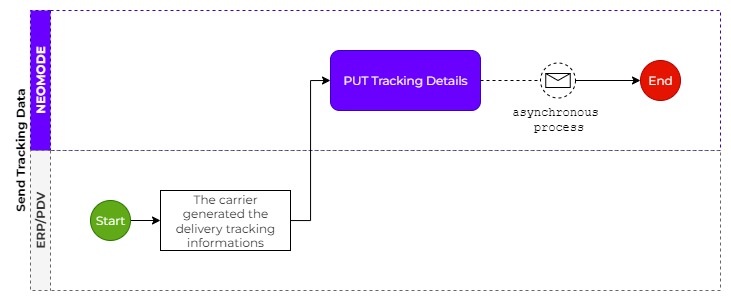
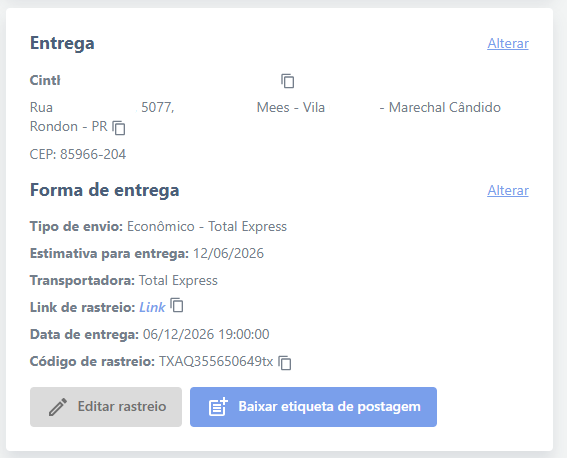
The submitted data will be available to the NEO In Store operator, enabling them to print the shipping label and dispatch the order at the time of carrier pickup.
3. Set Order as Delivered
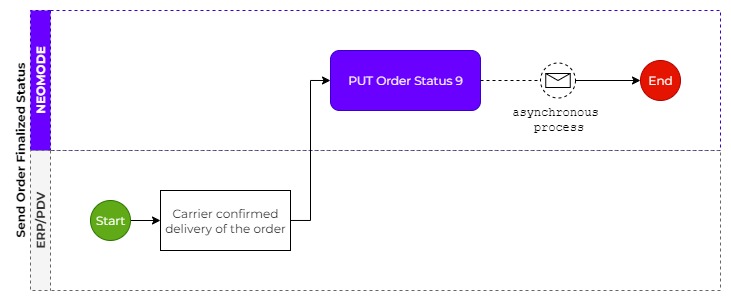
- Submit Delivered Send status
Finalized– PUT Status by Id